
Wearing Your Vismo Alert 2.0

To wear your Vismo Alert 2.0, you will need a metal clip.
Once ready, gently expand the metal frame and carefully slide your Vismo Alert 2.0 into it.
Note: We recommend protecting the device from heavy rain.
Sticking your Vismo Alert 2.0
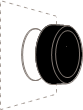
Each Vismo Alert 2.0 comes with a reusable adhesive sticker, pre-attached to the back. Simply peel off the protective layer and stick your Vismo Alert 2.0 onto any clean surface.
If you wish to reposition your Vismo Alert 2.0, twist the button to the right to apply horizontal force, making it easier to remove the adhesive from the surface.
Note: The adhesive is very strong and may damage the surface when removed. Please take this into consideration before attaching it. We recommend keeping the protective layer in case you wish to cover the adhesive in the future.
Warning: Do not twist the button to the left, as this will open it.
Cleaning the adhesive
If the adhesive starts to lose its stickiness, you can clean it to restore most of its grip.
- Gently wash the adhesive with water.
- Rub it lightly and repeat the wash if necessary.
- Leave it to air-dry, and it will regain full stickiness.
Warning: The Vismo Alert 2.0 is not waterproof. Do not expose it to running water, submerge it, or use it underwater, as this will cause irreversible damage.
Do not use solvents, chemicals, or abrasive cleaning products, as these will damage the adhesive.
Changing the battery

When the battery is nearing the end of its life, the LED will flash RED repeatedly. To replace the battery, follow these steps:
- Open the battery hatch by attaching your Vismo Alert 2.0 to a surface and twisting it to the left.
- Remove the old battery and insert a new CR2032 battery, ensuring the “+” side faces towards you.
- Reattach the top part of the Vismo Alert 2.0 to the bottom and twist to the right until it clicks and the adhesive releases from the surface.
Note: The adhesive is very strong and may damage the surface when removed. Please take this into account before sticking the device to any surface.
Handling the battery
This device contains a CR2032 battery made of lithium, organic solvents, and other combustible materials. Improper handling of the battery could cause deformation, leakage, overheating, explosion, or fire, which may result in personal injury. To prevent accidents, please follow these instructions:
- Never swallow, charge, heat, expose to open flames, moisture, or liquids.
- Never attempt to disassemble, reverse the polarity, or short-circuit the battery.
- Keep the battery away from children and pets.
When disposing of used batteries, remove the battery beforehand. If removal is not possible, dispose of the entire device in an electronic waste bin in accordance with the WEEE Directive. Battery disposal may be subject to national or local regulations, so please follow all applicable guidelines.
Factory reset
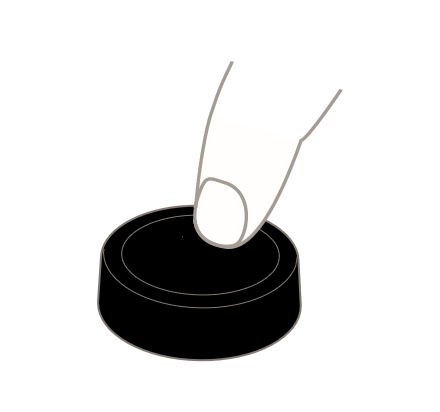
If you need to perform a factory reset, follow these steps:
- Remove the battery (see the section “Changing the Battery”).
- Reinsert the battery.
- Within 5 seconds, press and hold the button for 10 seconds.
General
The Vismo Alert 2.0 contains small parts and accessories that may pose a choking hazard. It is therefore not suitable for children or pets.
- Do not attempt to service the product yourself.
- Do not use the device in temperatures below -10°C or above +40°C.
- Clean with a damp cloth only. Do not submerge or use chemical or abrasive cleaning products.
- The device has been tested to IP44 standards.