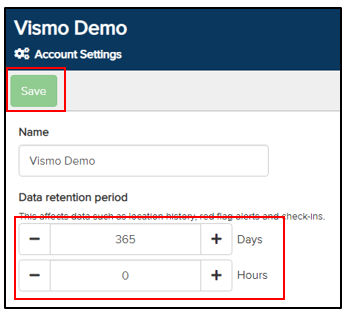
Vismo automatically retains information on Location History, Red Flag Alerts, and Check-Ins for up to one year. If your organisation requires data to be deleted within a period shorter than 12 months, this can be configured via the Main Configuration page. To do so, navigate to Account Settings and select ‘General’.

The Data Retention page will be displayed. Adjust the retention period as required and click ‘Save’. Data will be automatically removed from the Vismo Secure Portal once it has been stored for the specified number of days and hours.