Choose the First Page You See at Sign-In
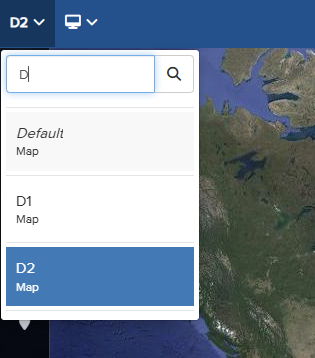
You can configure a default dashboard to appear each time you log in to the Vismo Portal. To set a new default dashboard, navigate to the desired page and select it from the top left corner of the screen.
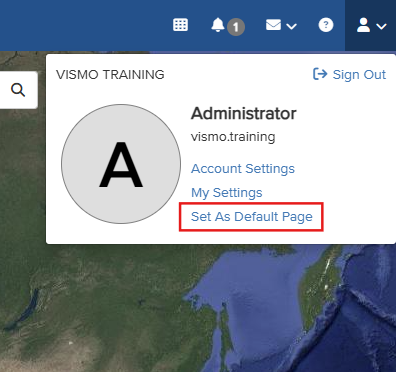
Once on the desired page, click the person icon in the top right corner and select ‘Set As Default Page’. A pop-up will appear to confirm your choice. From now on, your selected page will be displayed each time you log in to the dashboard.