
A Geo-Fence Event notifies the configured recipients when a user enters and/or exits a Geo-Fence. Configure the Geo-Fence event to receive email and/or SMS notifications when a user enters or exits a Geo-Fence.
-
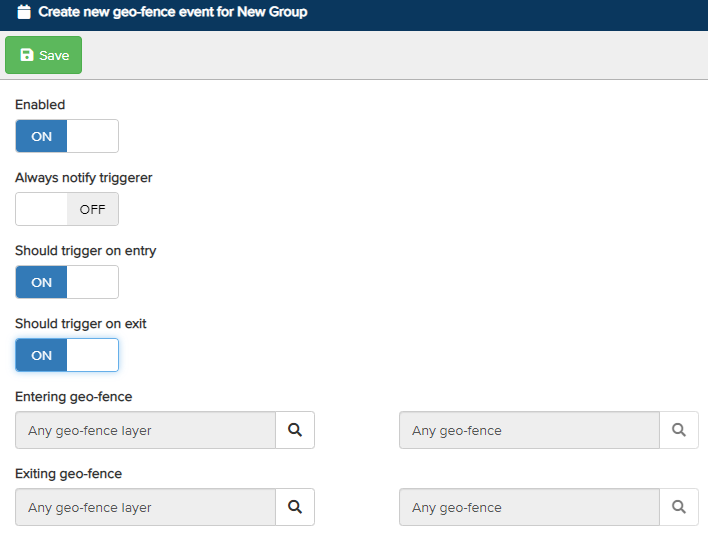
Enabled – Turn the switch On to enable Geo-Fence event notifications for the configured recipients.
-
Always Notify Triggerer – Sends a notification to the user when they enter and/or exit a Geo-Fence.
-
Should Trigger on Entry – Sends a notification when a user enters a Geo-Fence.
-
Should Trigger on Exit – Sends a notification when a user exits a Geo-Fence.
-
Entering Geo-Fence – Define specific Geo-Fence layers and Geo-Fences to receive notifications when a user enters them. Click the magnifying glass to select the Geo-Fences.
-
Exiting Geo-Fence – Define specific Geo-Fence layers and Geo-Fences to receive notifications when a user exits them. Click the magnifying glass to select the Geo-Fences.
Once configured, click Save at the top. Next, define the recipients who will receive the event notifications.