
Configure the battery level event to receive email and SMS notifications when a user’s battery falls below a set percentage.
-
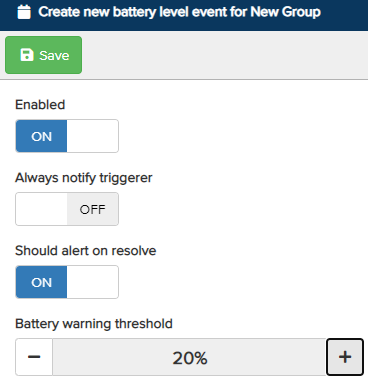
Enabled – Turn the switch On to enable the battery level event notification for the configured recipients.
-
Always Notify Triggerer – Sends a notification to the user when their battery falls below the predetermined percentage.
-
Should Alert on Resolve – Sends a notification to the configured recipients when the battery rises above the predetermined percentage. Turn the switch On to enable this notification.
-
Battery Warning Threshold – The set percentage at which a notification will be triggered when a user’s device falls below the battery level. Use the + and − icons to adjust the battery warning percentage.
Once configured, click Save at the top. Next, define the recipients who will receive the event notifications.