
Device Allocations allow you to view users who are currently invited, or have previously been invited, to use the Vismo App or a hardware device. To access Device Allocations, click the Services icon in the top right corner and select Reports.

Device Allocations allow you to view users who are, or have been, invited to use the Vismo App or a hardware device. To access Device Allocations, click the Services icon in the top right corner and select Reports.

From the list, select Device Allocations. Please note: You need the Edit Users permission to access Device Allocations.

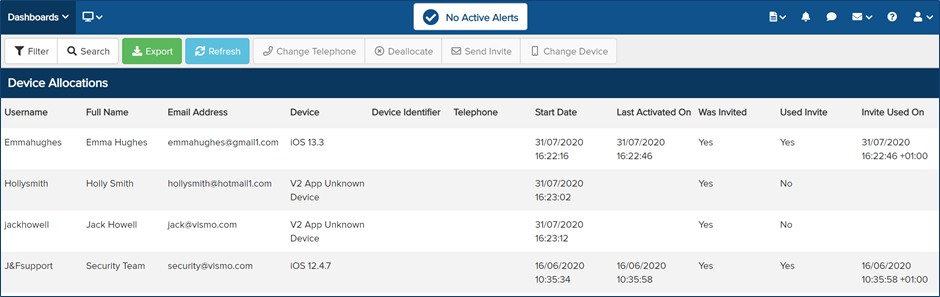
The Device Allocations for the account will be displayed. Details include: username, full name, email address, device, device identifier, telephone number, start date, last activation date, whether they were invited, whether the invite was used, and the date the invite was used.
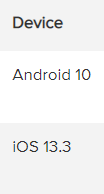
In the Device column, you will see a list of the device OS versions, as shown in the example below: See which version of the app a user is running by clicking here.
By clicking Export, you can export the Device Allocation information in your preferred format. Select the desired format from the drop-down menu and then click Export.
