
This guide explains how to use the filter on a job's details page to find the rows in a user import that caused errors, so you can correct them yourself.
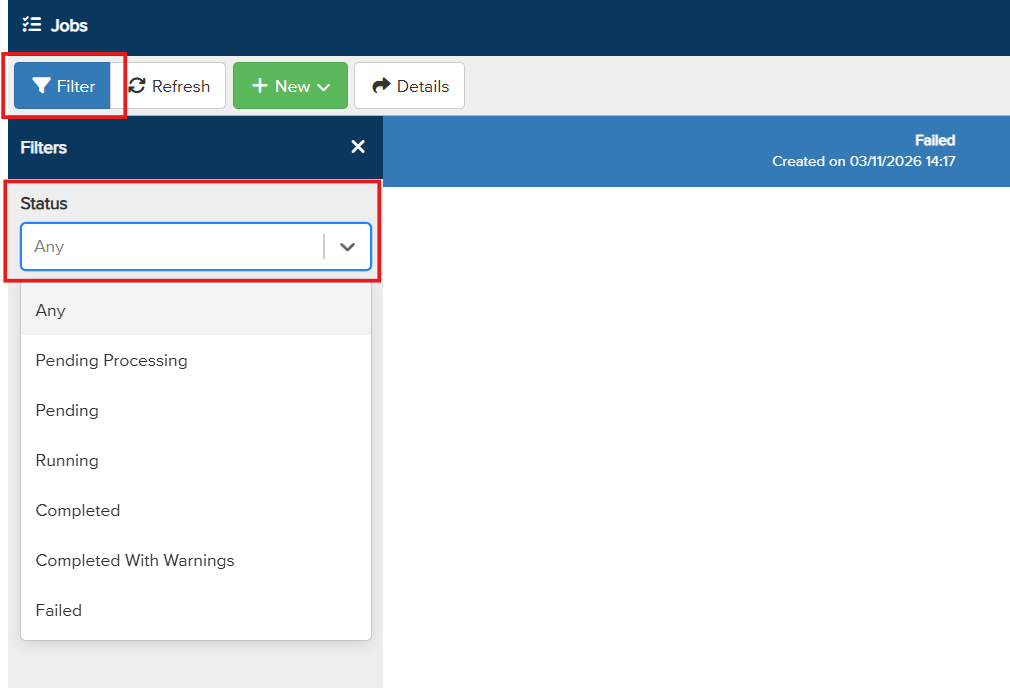
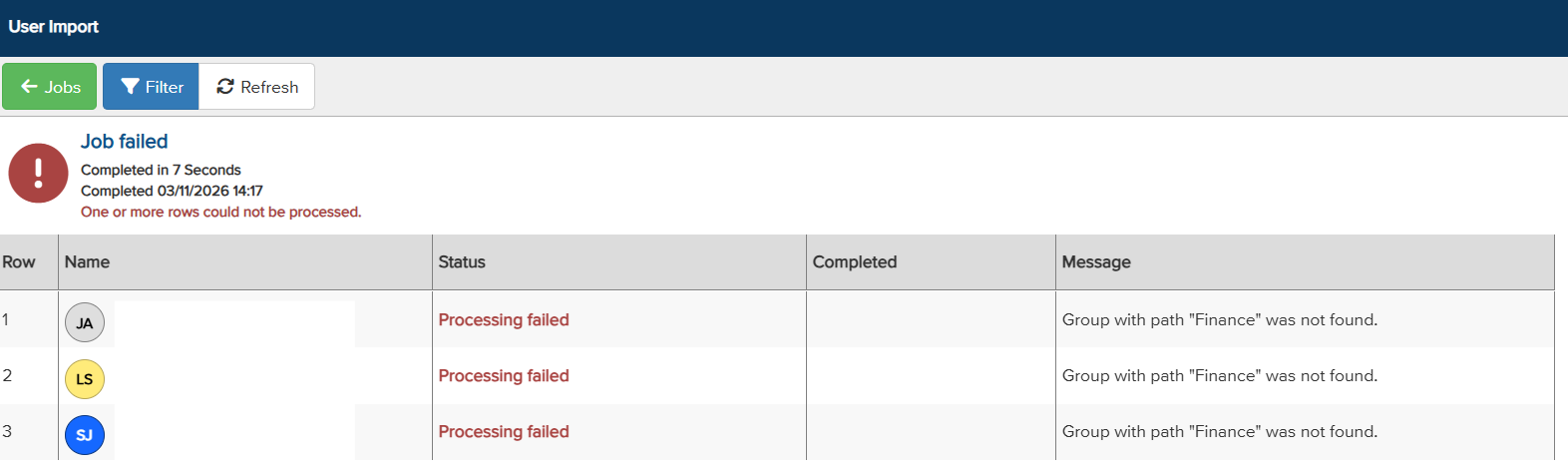
Large user import spreadsheets can contain many rows, which makes it hard to see exactly which rows caused a job to fail. The Filter button on a job's details page lets you show all rows of any status, so you can go straight to the rows that need attention.
Finding the rows with errors|
Step |
What to do |
|
1 |
Open Services |
|
2 |
Select the Filter button. |
|
3 |
Choose the status you want to see, for example the rows that failed. |
|
4 |
Review the rows shown, correct them in your spreadsheet, and import the corrected rows again. |
 and select "Jobs". View the list of jobs and select your user import job to open its details page. [Confirm menu path to Jobs.]
Good to know
- The filter works like the filter on other pages in the portal.
- You can filter for rows of any status, not just errors.
Need more help? Contact Vismo Support at techsupport@vismo.com.