
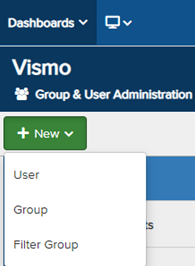
1. Access Group & User Administration, create a new user.
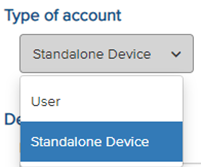
2. Under Type of account select Standalone Device from the drop-down menu.
3. Fill in the device details including device name and telephone number.
4. Input device information along with the Inmarsat country code (+870).
5. Select iSat Pro as the device and provide its Serial/IMEI.
6. Place the device in the appropriate Group.
7. Once the device is configured, click Save at the top.
Inmarsat Device Settings:
To enable Inmarsat support, configure tracking SMS to +16093725677 within the device's settings under Location Services > Tracking > Configure Tracking > Edit Recipient.
Vismo will then use this SMS data to update location information in the Vismo Portal.