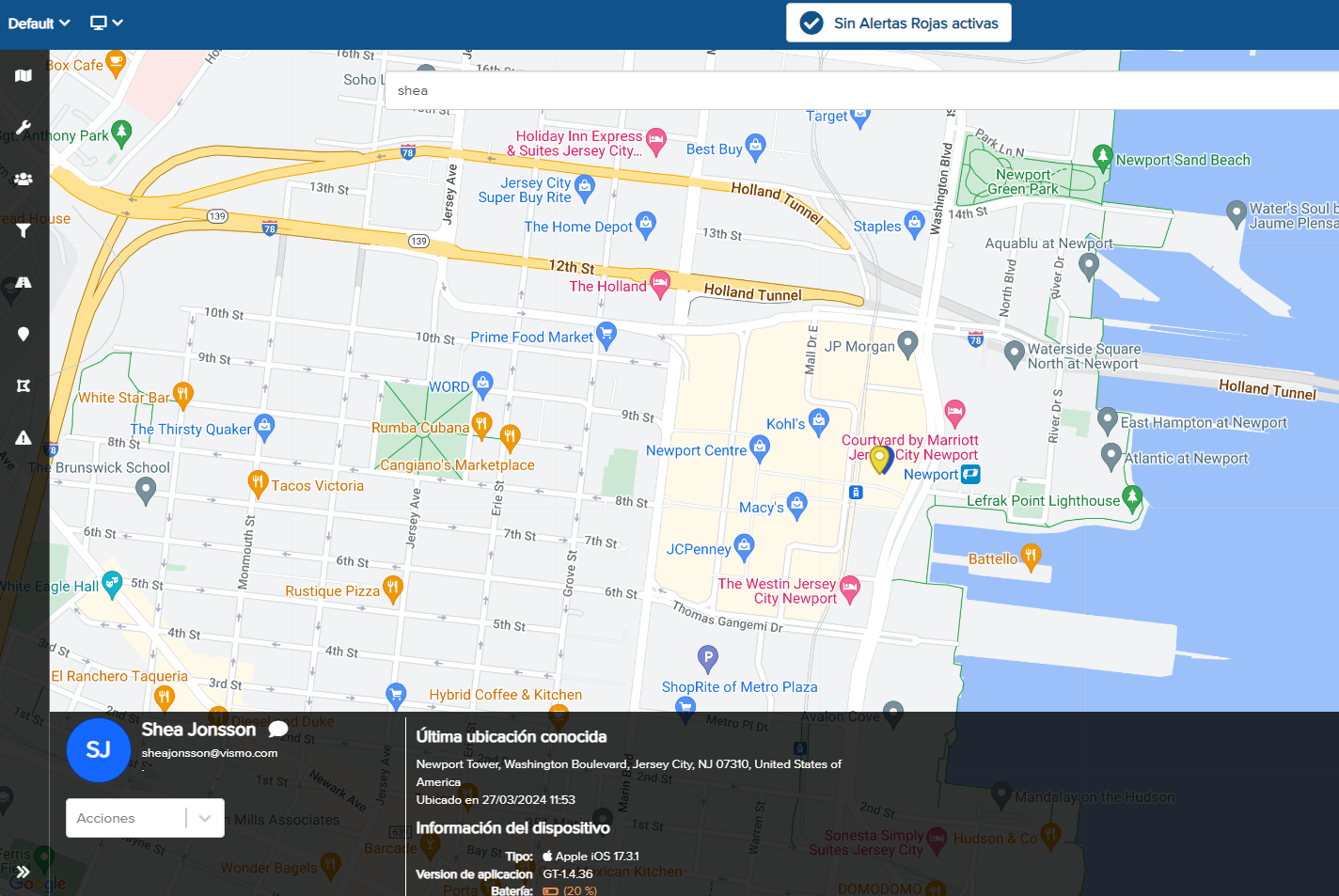
The search bar is positioned at the top of the map screen. This multifunctional search bar allows you to look for a person, place, point of interest (POI), or geo-fence.

To search for a user, enter the name of the person you wish to find. In this example, we are searching for James.
You can enter several types of information in the search bar, including:
- Full name
- First name
- Last name
- Part of the user’s name followed by an asterisk (), e.g., Ja
- Email address
- Reference fields
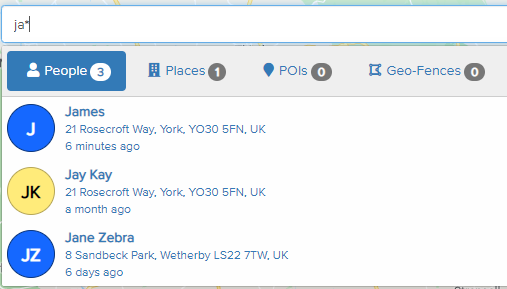
All matching results will appear below the search bar, along with their last known location. The number of matching results is also indicated by a number next to People.
Click on the person you wish to view, and they will be shown on the map as a bouncing pin. Along the bottom of the screen, you can see further details about that user.
These details include their last known location, the time of the last location fix, device type, app version, and battery level. Additional information, such as phone number, email address, and reference fields, will also be displayed if these details are available in the Vismo Portal.