Vismo Mass Notifications enable organisations to quickly deliver important information to targeted individuals, mass groups, or people in specific geographic locations via multiple channels including SMS, Email, In-App messages, Phone Calls, Slack, and Teams.
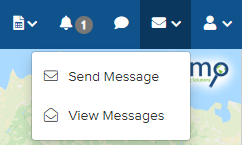
To view the responses to a Mass Notification, click the envelope icon in the top right corner and select View Messages from the drop-down menu. If these options do not appear, please ensure you have the correct permissions.
The Broadcast Messages screen will appear, showing all the Mass Notifications that have been sent, along with their message response rates.
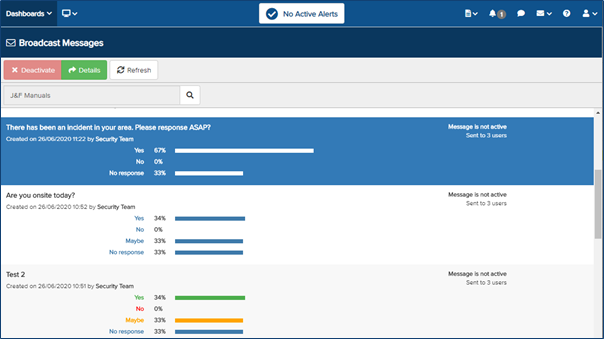
Select the Broadcast Message you wish to view in more detail until it is highlighted in blue, then click Details at the top.
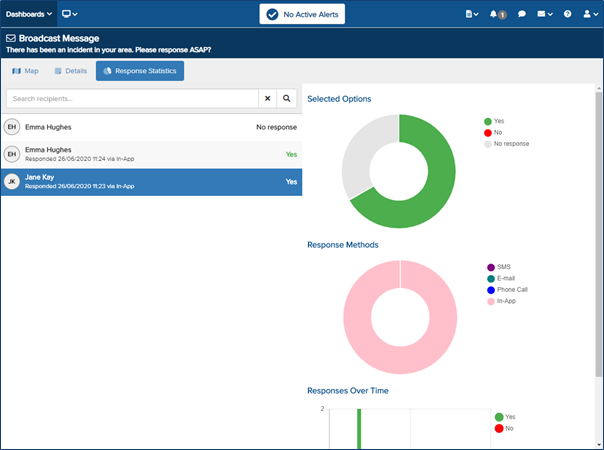
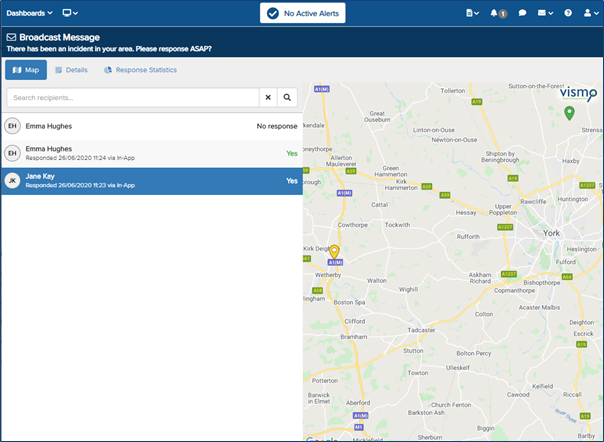
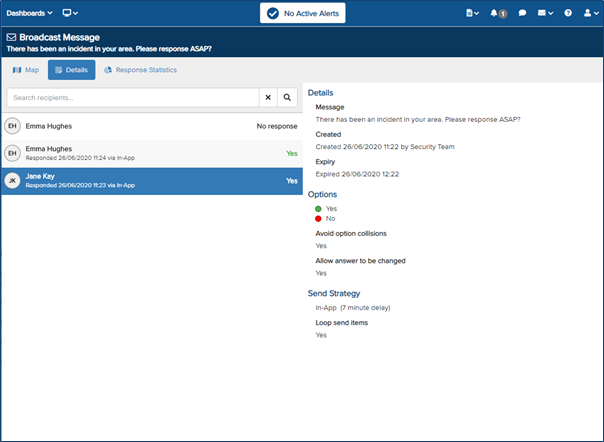
More information about the Broadcast Message will appear. Details about who received the message and their responses will be shown on the left. You can change the display format by selecting Map, Details, or Response Statistics at the top.
- Map – Displays each user who received the message on the map. Select a person until they are highlighted in blue to view their location.
- Details – This section contains all the information about the broadcast message that was sent.
- Response Statistics – Shows the response statistics for the message using graphs.