
To see closed alerts, select "No Active Alerts" at the top of the portal.

The Red Flag Alerts page will appear. Click the "Filter" icon in the top left corner of the screen.

The filters pop-up will appear. Select a date range for the closed alerts you wish to view, ensuring the "Show Closed Alerts" switch is turned on. Then click "Apply Filter".
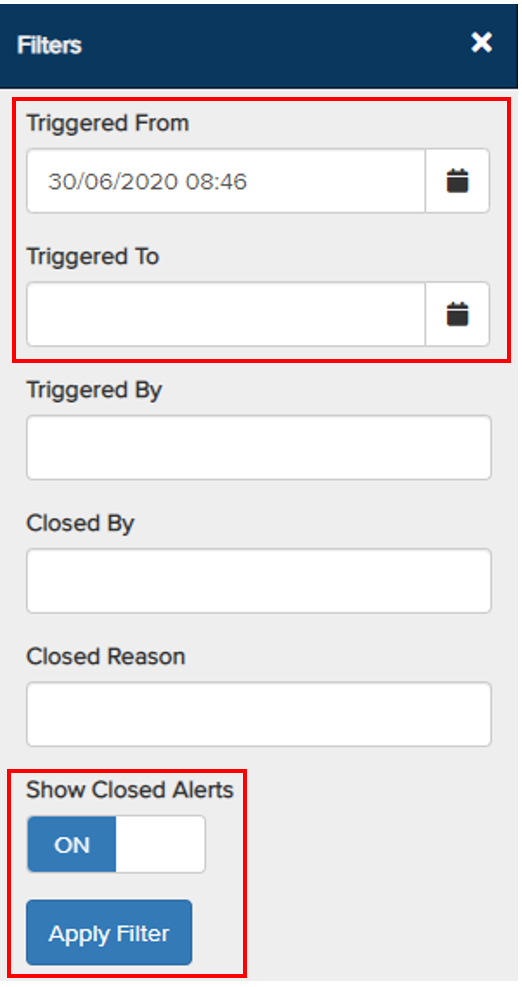
All closed alerts for the selected date range will be displayed.

- Closed By – Indicates who closed the alert.
- Closed Date – Indicates when the alert was closed.
- Reason Closed – Indicates the reason the alert was closed.
Remember to use the next page buttons and the scroll bar to view additional closed alerts.