
This guide explains how to send a mass notification from one of your account's templates using the Vismo Monitor app.
Before you start
- You need Vismo Monitor 3.0.2 or later.
- You need permission to send mass notifications.
- Templates are set up in the portal. See "Mass Notification Template Configuration".
Send from a template
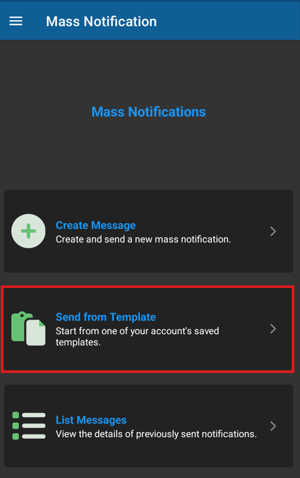
- In Vismo Monitor, open Mass Notifications > Send from Template.
- The account's templates are listed. Use the search box to find the one you need.
- Choose a template. The message, expiry, options, delivery steps and recipients are filled in.
- Check the details and change anything you need to before sending.
- Send the mass notification.
Good to know
- Changes you make before sending apply to that message only.
-
To review responses, see "Review Mass Notification Responses".
Need more help? Contact Vismo Support at techsupport@vismo.com.